This article explains how to use the Value Map Transformation within the Mappings tab of the Syndication platform. Review the video and steps provided below to convert source choice list values into the correct target values when the values do not al...
The purpose of this article is to outline all the required steps a Syndigo user must complete to successfully enable analytics reporting on Product Display Page URLs. We recommend following the steps outlined below for streamlined setup. Introduct...
The purpose of this article is to outline all of the required steps a Syndigo user must complete in order to successfully manage Syndigo Verified data through the Syndigo Platform. We recommend following the steps outlined below for streamlined prod...
The purpose of this article is to outline all of the required steps a Syndigo user must complete in order to successfully publish Core Syndication data through the Syndigo Platform. We recommend following the steps outlined below for streamlined pro...
Access Syndigo Verified content and preview product images. When product content is verified by Syndigo, it is auto-published to the Syndigo Marketplace. For accounts with access to the Syndigo Marketplace, the Syndigo-created content can be previ...
Manage the Attribute Library, Account Preferences, and the Company Dictionary, or set User Permissions. The Configuration tab houses settings that affect the organization and integration of the content you work with across the account. Access the At...
Understand how to access and manage Recipient Profiles and the publication process. The Connections tab holds all information pertaining to Recipients. Access a Recipient Profile to manage any products, subscriptions, or publication associated wi...
The Product Details page is the hub for an individual product. It houses all information relevant to that specific product, including attributes, assets, properties, and classifications. Features and accessible tabs may vary between accounts. Prod...
All Syndigo accounts with Digital Shelf Analytics & Reporting services have access to the Analytics Dashboard. A default Dashboard has been created for all accounts and users can also create customized dashboards specific to individual business needs...
Navigating the Product Index page, managing columns, searching and filtering for products, and how to take action on those products. The Product Index is where users go to access one or more products in your account. The Index can be customized t...
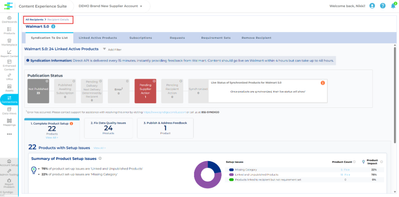
Learn about each section of the Supplier Syndication Dashboard. The Supplier Syndication Dashboard provides insight into products and their publications statuses across each Recipient. From this view, users can access a list of recently updated ...
This article provides new Syndication platform users with a clear overview of the platform and step-by-step guidance to build a foundational understanding. By following the recommended steps below, users can easily set up their accounts and begin th...
The purpose of this article is to outline all of the required steps a Syndigo user must complete in order to successfully publish product content via the Global Data Synchronization Network (GDSN). Note: Reference your trading partner’s implementat...
Connected Recipient List In the Syndication platform, when you click the Connections tab, you are taken to the Recipient List. It contains every Recipient you have added or created, along with the total products linked and the average readiness f...
Welcome to your AVMT User Guide. You’ll find everything you need to get started with Attribute Value Mapping and Transformations. We introduce the concept of AVMT and then break down the process into simple, manageable steps. By following the guide ...
This article details how Data Layer hierarchy works and ways to clean up existing data that needs to be removed to push enabled mappings to their target attributes. Article Contents: How Data Layers workSteps for Clearing Data for Mapped Values...
In this article, we tour the Mappings Tab and review each feature and its functionality. The Mapping Tool allows you to map and transform your data so it automatically formats to meet your retailers’ specific requirements without the need for manual...
This article is a complete guide to mapping transformations. It explains how to change data from one format to another, using clear examples and step-by-step instructions. You will learn how to do simple value maps and more complex changes for speci...
This guide walks you through exporting data quality results for your Attribute Value Mappings. The export helps you analyze Data Quality failures and identify areas to improve mapping integrity. Article Contents: Step-by-Step Export ProcessUnders...
This article is a guide to mapping your product data. It covers the essential steps of preparing and mapping attributes. Please review the content below to learn more about the Mappings tab and steps for mapping your data. Article Contents: Getti...
In this article, we will define Attribute Value Mapping & Transformation and its benefits, show examples, and explain how you can access the tool to begin to create your own mappings. Article Contents: What is Mapping?How Does Mapping Help? Mappi...
Creating New Products in Syndigo Via Import There are several ways to add new products, or update existing products, in the Syndigo system. Create new products one by one, or in bulk edit. This makes sense if you are creating the product from scratc...
The training videos here will cover the basic features and functionalities of the Syndication platform. This training is a great way to familiarize yourself with the basics of the platform and should be paired with your product-specific training. ...
What is Syndigo University? Syndigo University is a learning portal that provides structured, self-paced courses covering platform navigation and key syndication services, including Core Content, Enhanced Content, GDSN, Space Management, and Anal...
Syndication Workshops Browse our recorded workshops: Syndigo BasicsEnhanced ContentCore MarketingAnalyticsGDSN Additional Recorded Workshops Content Requests and Content Scorecards Have questions you need answered? Sign up for a live workshop he...
The Executive Syndication Dashboard displays your Core and GDSN product catalog performance at a high level using specified filters. All data is pulled automatically from your product index every 24 hours, providing views of your products’ status wi...
The Executive Syndication Dashboard displays your Core and GDSN product catalog performance at a high level using specified filters. All data is pulled automatically from your product index every 24 hours, providing views of your products’ status wi...
IMPORTANT: Do not delete, move, highlight, or add rows, columns, or tabs; any changes to the formatting of the spreadsheet may effect the attributes’ ability to populate on upload. Download a product spreadsheet from your account (follow instruct...
Use the Publication Snapshot feature to see previously published versions of product content to recipients accepting brand-managed, GDSN and Syndigo Verified data publications. You can choose to restore attribute data back to any of the previously ...